
Step 3: Pre-booking a room
Using a room's offerId allows it to be pre-booked. The travel industry moves fast, so this step is about verifying all the details. Think of this as the final confirmation page before purchasing. The PREBOOK endpoint takes the offerId and confirms its availability and price.
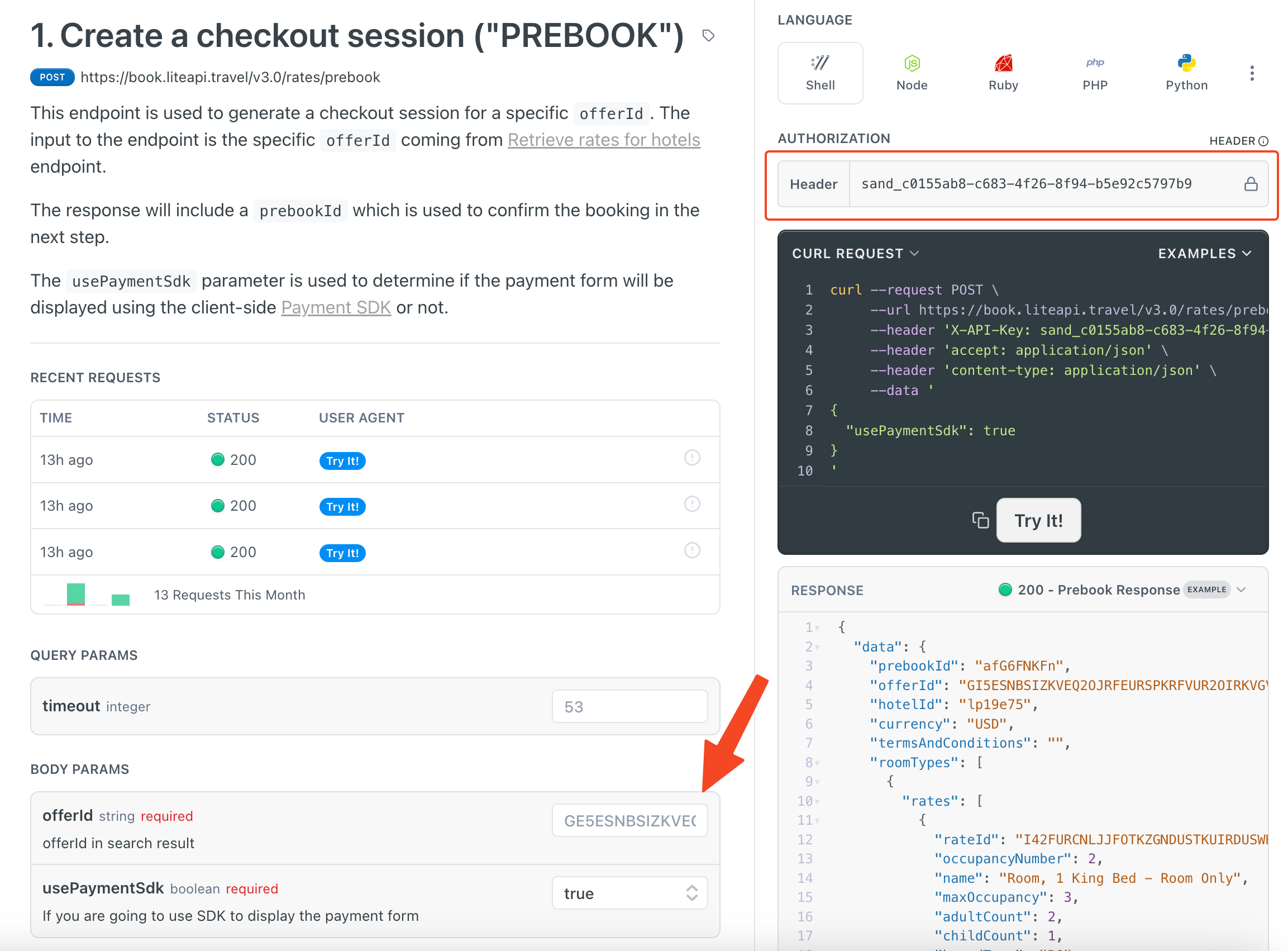
Paste in the offerId so the API knows which rate(s) you are prebooking. The field for usePaymentSdk is to specify if you are going to use a payment SDK. If you want to learn more about the payment SDK check out the User Payment section of Implementing a Payment Method. For now, it can be set to false.
Once both fields are set, press "Try It!" to fire off the API request.
If successful, you will get a 200 response verifying the room and rate are still available. The important piece of information we want here is the prebookId. The prebookId is tied to this specific booking, so copy the prebookId to use in the following booking step.
When rates showed availability but prebook returns 2001
Rates search is a snapshot. Between search and prebook, the offer can sell out or the price can change so it can no longer be honored. In that case prebook returns code 2001 (“no availability found”), often as HTTP 400 or 409.
What to do:
- Show the guest that the selected rate is no longer available.
- Run a new rates search and let them pick a fresh offer — do not retry the same
offerId. - Prebook the new offer promptly.
Prebook can take up to about 2 minutes end-to-end; code 4016 means the prebook timed out — increase timeout and retry, or search again. Details: API errors for the hotel booking workflow and Hotel Integration Guide.
Updated about 1 hour ago